Features · Email
Email, the way it should be.
Folders on the left, the list in the middle, the reading pane on the right – and an editor that won't annoy you. For IMAP accounts and Microsoft 365.
Read & organise
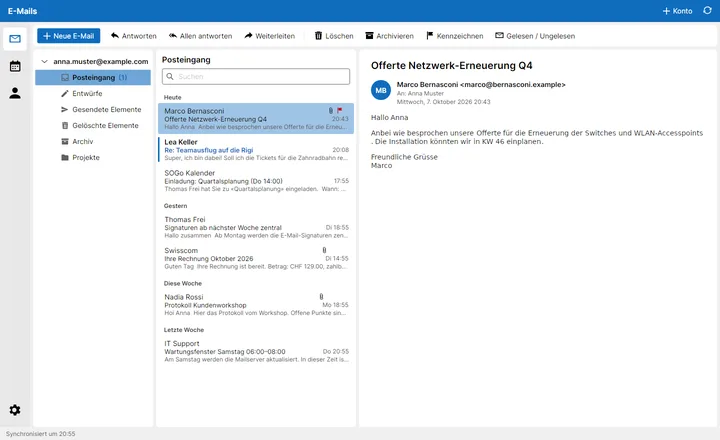
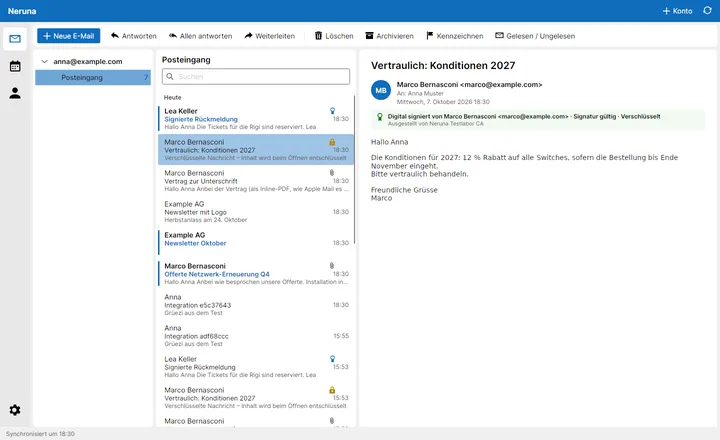
Folders with unread counts, a list grouped by today/yesterday/this week, a reading pane, multi-select and drag into folders – even into another account. Double-click opens a message in its own window.
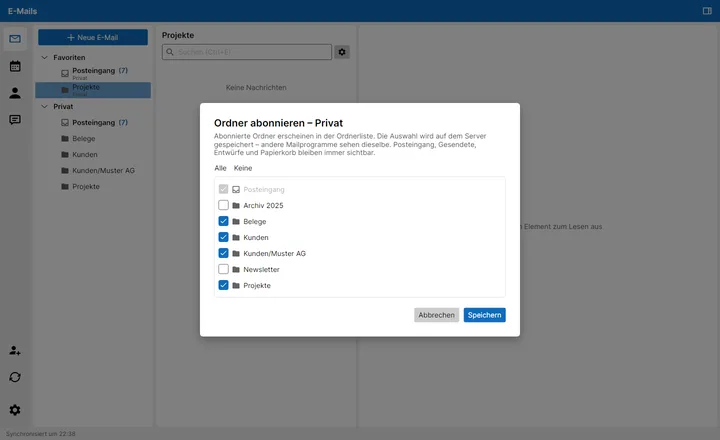
- All inboxes on top in Favourites. Right-click the account to choose which folders are subscribed – stored on the server, so other mail programs see the same.
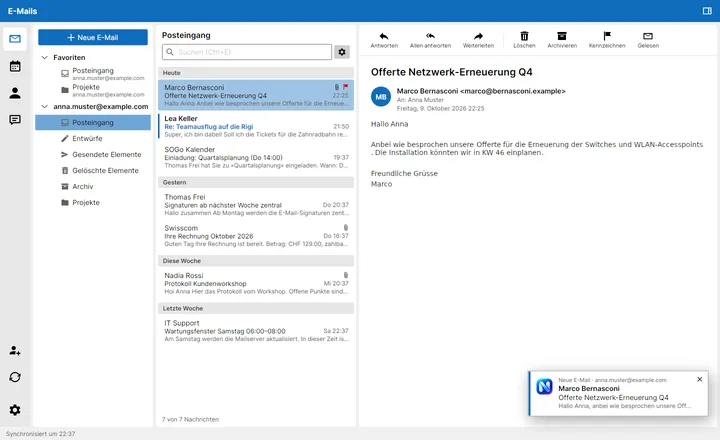
- New mail shows up within seconds, not at the next check – with a discreet notification that opens the message with one click.
Formatting without swearing.
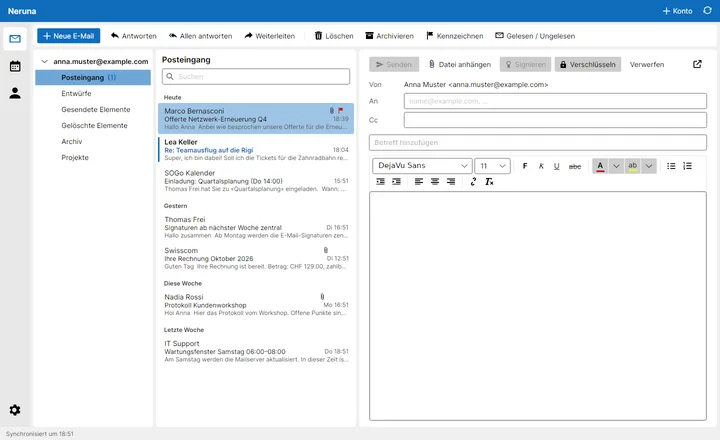
The biggest annoyance of many free mail programs? Fixed. The editor does what you expect – and shows every font in the font itself.
- Font, size, colour – bold, italic, underline, strikethrough, highlight
- Replies like you're used to – with header block, the original keeps its formatting
- Pop out – move a draft into its own window with one click
- Insert images – embedded automatically
Write faster
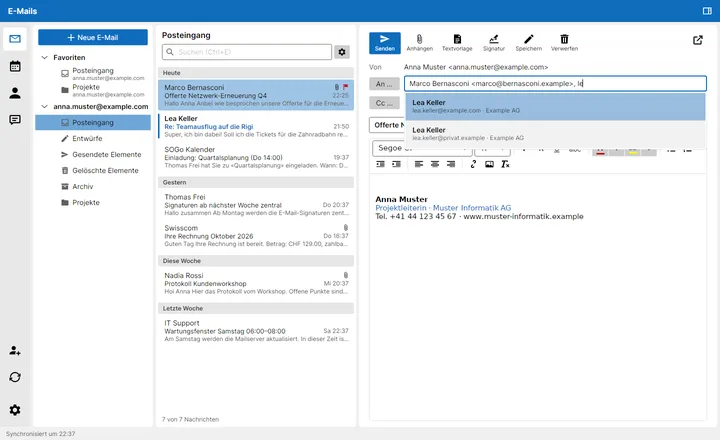
Addresses complete from your contacts as you type, groups included. Or pick several contacts at once.
- One for new messages, one for replies. With formatting and logo, switchable with one click while writing.
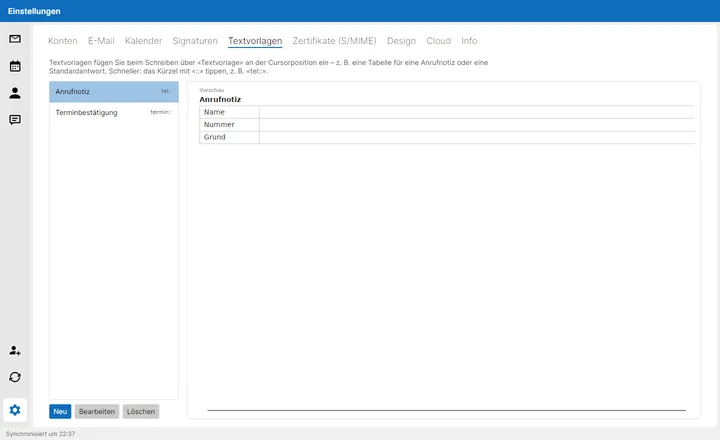
- Call note, standard reply, appointment confirmation: insert at the cursor with one click – or type “tel::”. Fill-in tables too, Tab moves from field to field.
Search & find
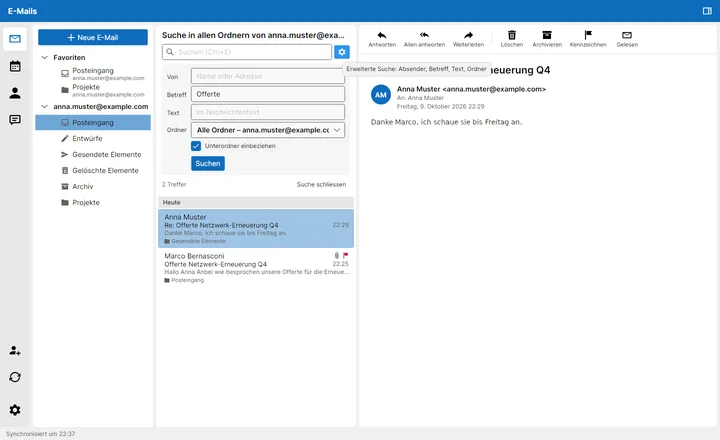
Quick search above the list – plus an advanced search by sender, subject and text, in one folder or the whole account. Right on the server, old mail included.
Secure, no tinkering
Signs automatically when you have a certificate – and encrypts automatically as soon as all recipients have one. No plug-ins, no tinkering.
- Signing and encryption strength selectable; certificates from signed mail are picked up automatically
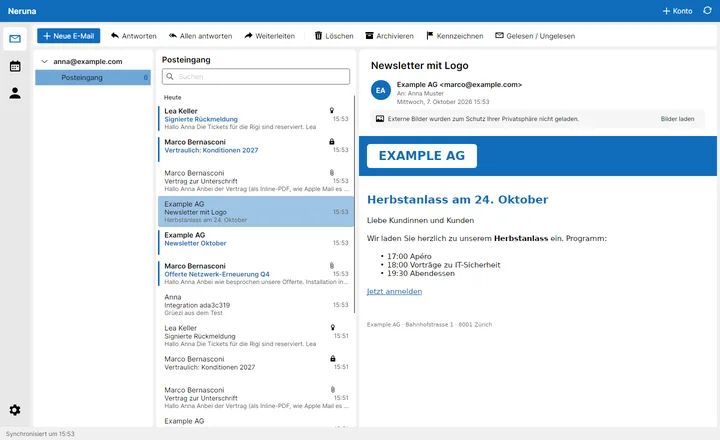
- Remote images in HTML mail stay blocked until you allow them
As many accounts as you like
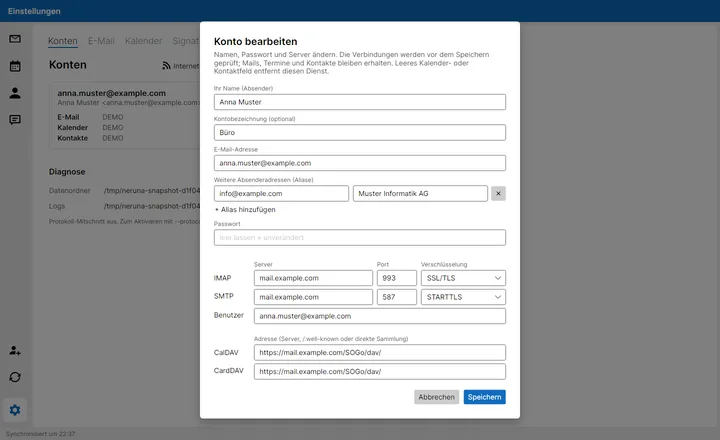
Many email providers via the standard protocols IMAP/SMTP, CalDAV and CardDAV – for example SOGo, Nextcloud or most hosting providers. Plus Microsoft 365 and Outlook.com with the Microsoft sign-in. During setup, Neruna finds the server settings itself.
- Several sender addresses per mailbox, e.g. info@: replies automatically come from the address the mail was sent to. Accounts can be edited and named, e.g. “Office”.
- Edit, rename and reorder accounts at any time