
Email as you know it
Folders with unread counts, a list grouped by today/yesterday/this week, a reading pane, replies with the classic header block – and attachments that actually show up.
Everything in one app that feels like the office software you know – just without licence fees and without your data ending up in someone else's cloud. For IMAP, CalDAV and CardDAV, for example with SOGo or Nextcloud.
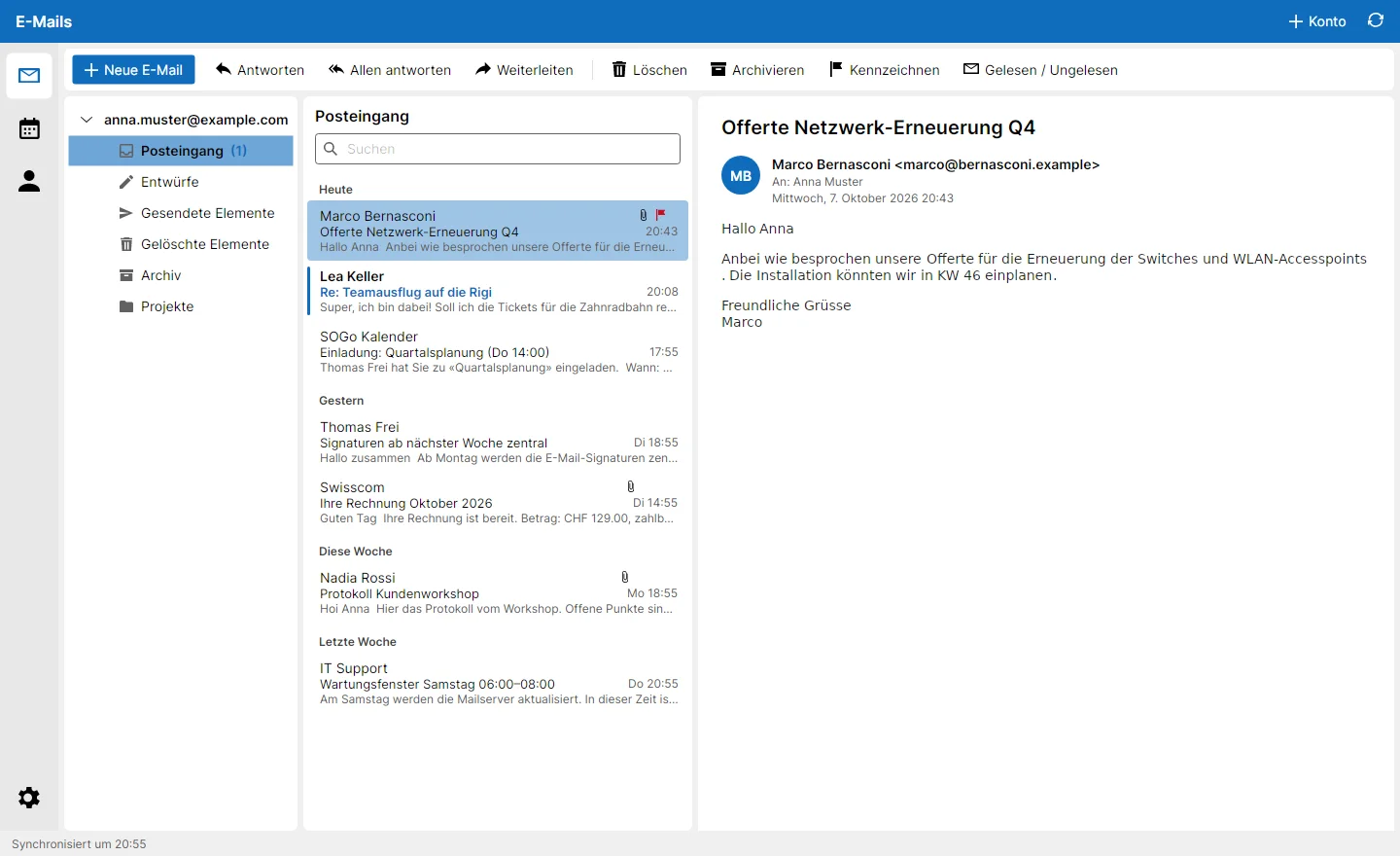
Everything you know from everyday office work – plus a few things many free mail programs never learned. Not webmail in a window, but a real desktop client: fast and offline-capable.
Folders with unread counts, a list grouped by today/yesterday/this week, a reading pane, replies with the classic header block – and attachments that actually show up.
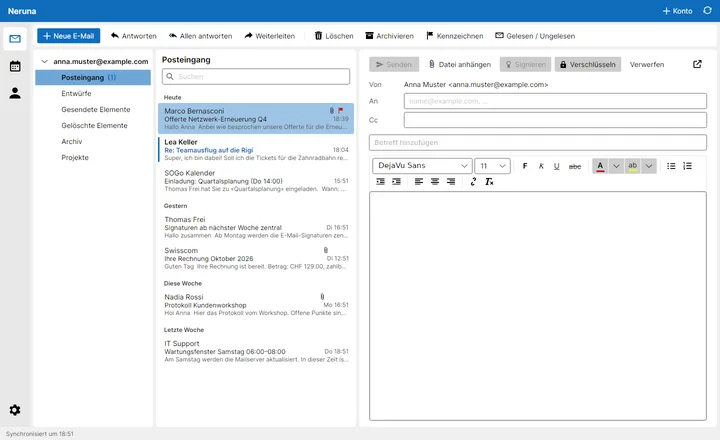
Font (previewed in the font itself!), size, colours, lists, links, images. In the reading pane or in its own window.
Signs automatically when you have a certificate – and encrypts automatically as soon as all recipients have one. No plug-ins, no tinkering.
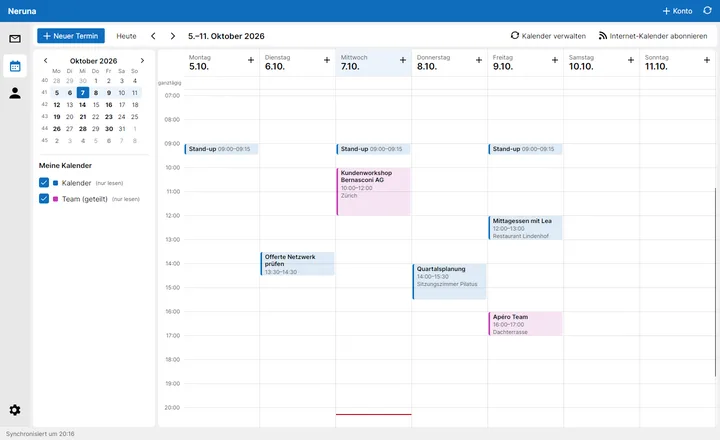
Time grid in 15/30/60 minutes, 7 days or Mon–Fri, month overview, your own colours. And: reload subscribed SOGo calendars at any time.
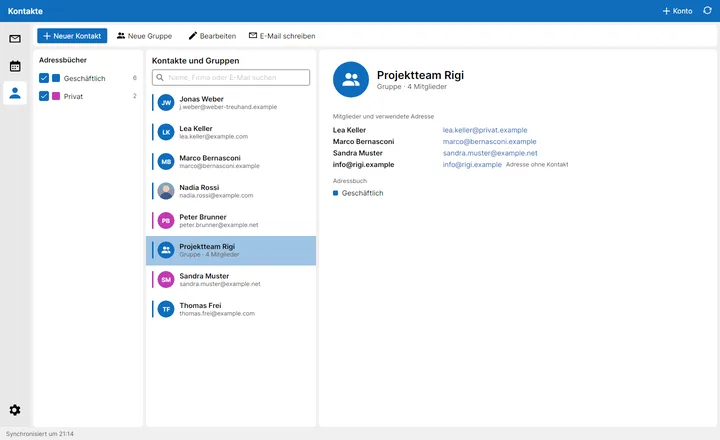
Colour-coded address books, contact photos and groups – where you choose for each person which address the list uses.
One for new messages, one for replies. With formatting and logo, switchable with one click while writing.
Mail, events and contacts are kept locally in a database. Reading and searching work even on a train without signal.
Remote images in emails are blocked until you allow them. No tracking, no ads, no data in someone else's cloud.
Light, dark or like your system, colour scheme blue, red or green. Sort your accounts; folders stay expanded or collapsed the way you left them.
The biggest annoyance of many free mail programs? Fixed. The editor does what you expect – and shows every font in the font itself.
A time grid as you know it, the month overview on the left, colours to your taste. And calendars subscribed in SOGo can be reloaded at any time – not only during setup.
Lea has a work and a private address? Use the private one for the barbecue list and the work one for the project team. Per group, per person.
We host nothing – on purpose. Neruna connects directly to your mail server. Mail, events and contacts stay where they belong: with you or your provider – not with us.
Neruna Cloud, too, will only store configuration: server settings, signature templates, shared calendar links. And your configuration vault is encrypted with your password before it ever reaches our server.
No mock-ups – this is what Neruna Desktop looks like today. Click to enlarge.
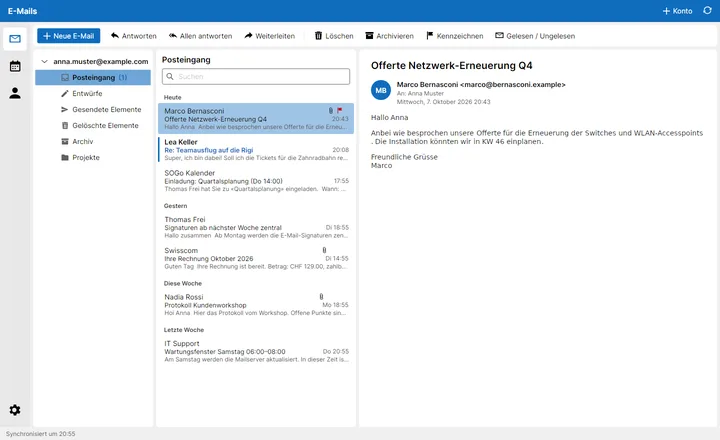
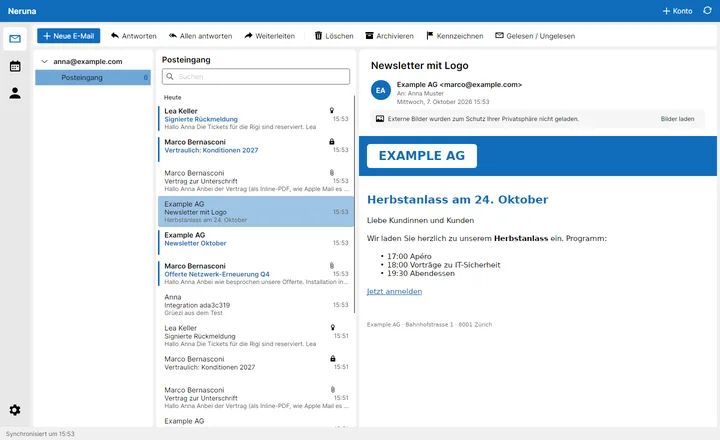
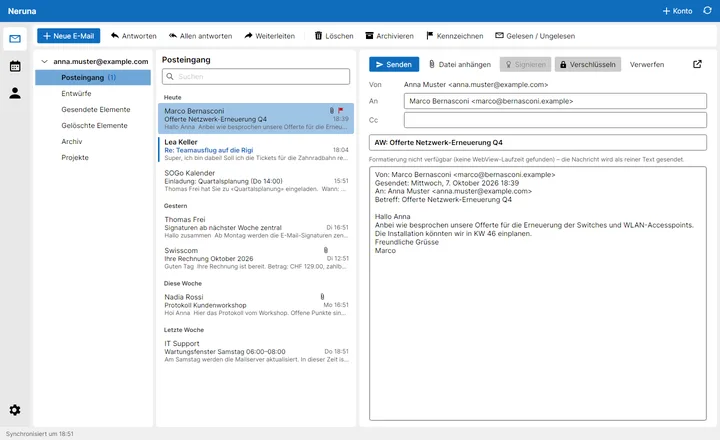
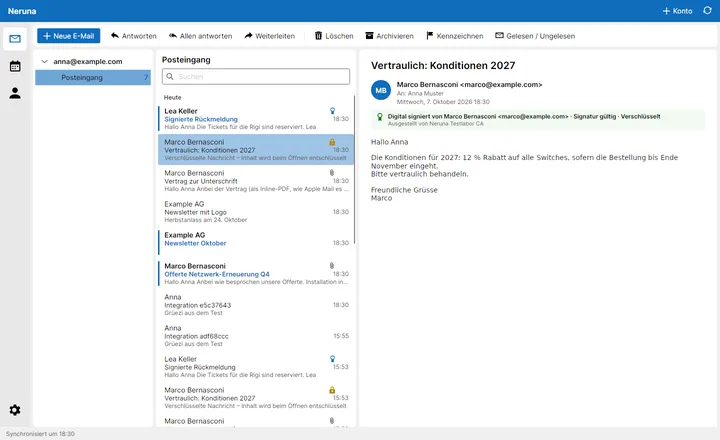
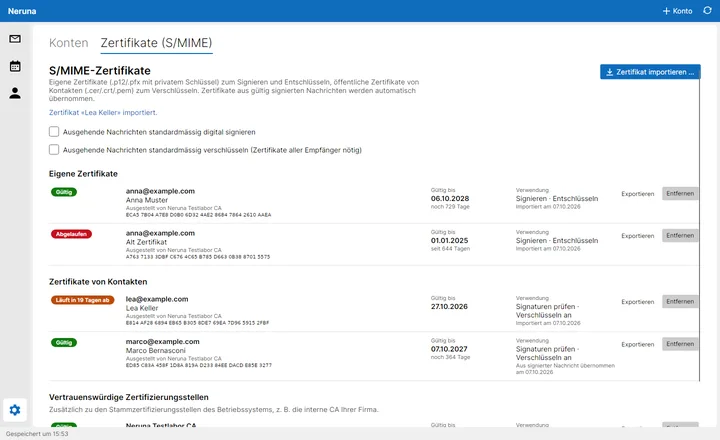
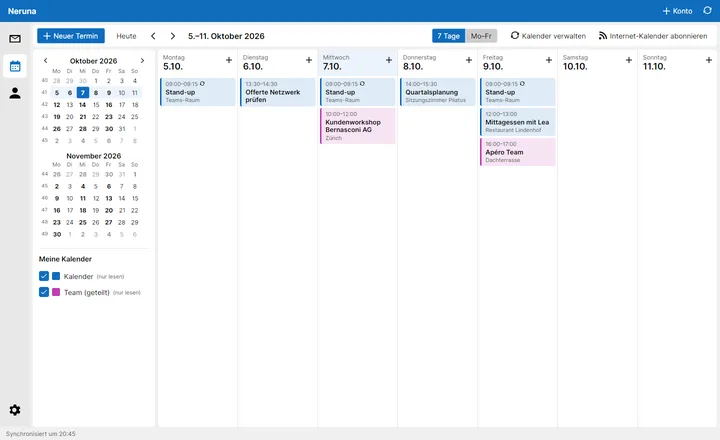
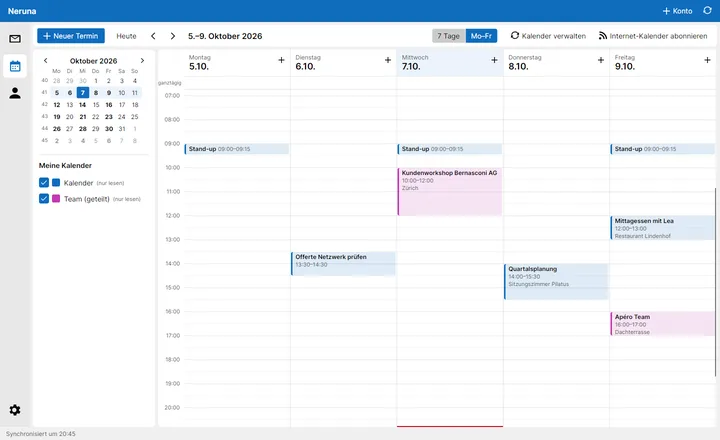
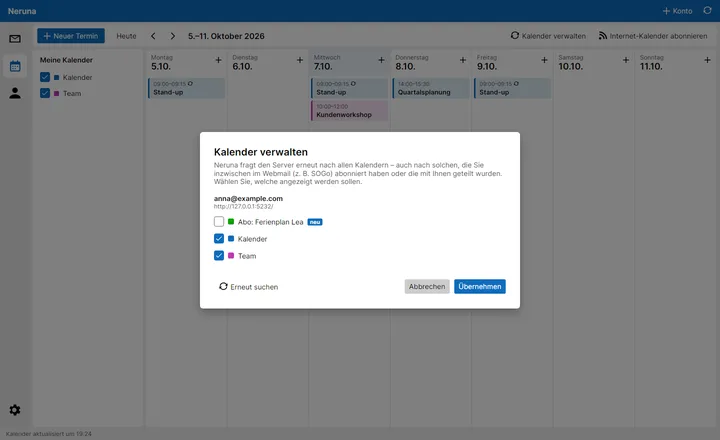
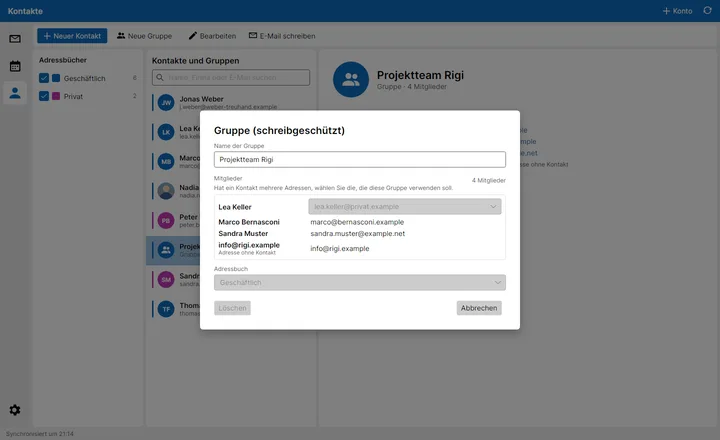
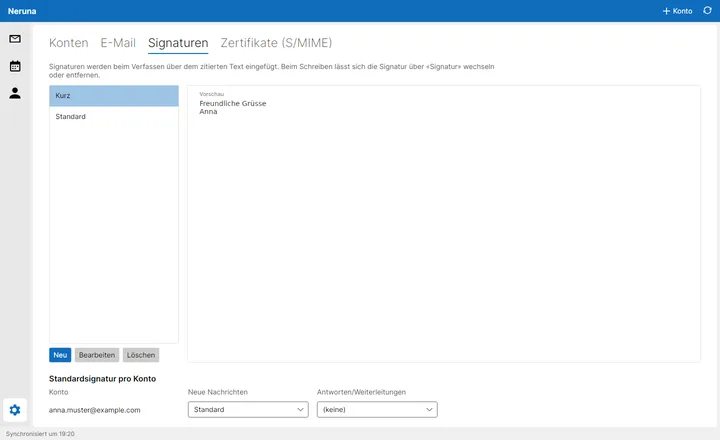
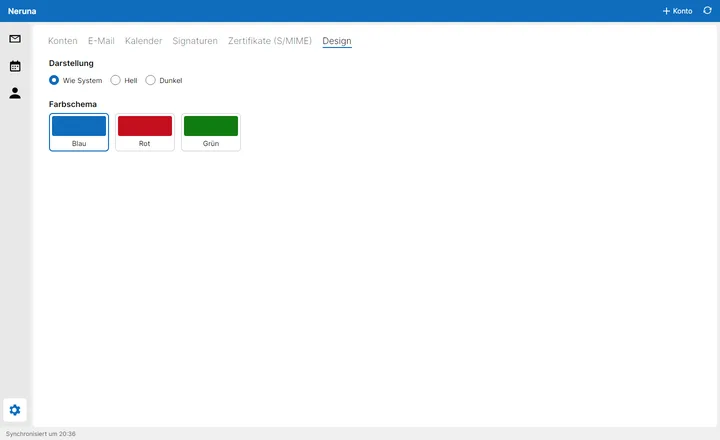
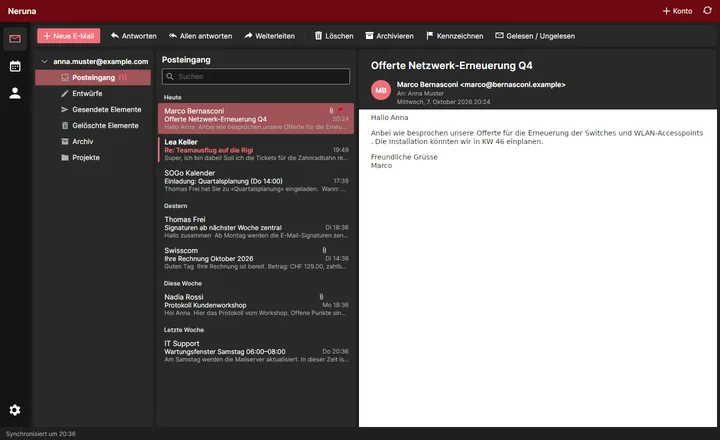
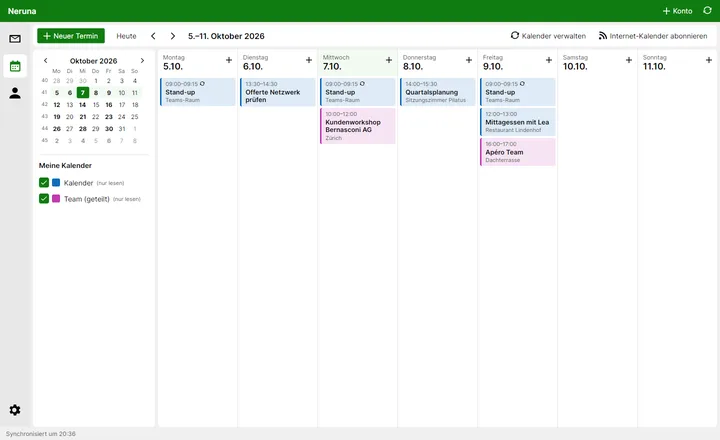
The screenshots show the German interface – English, French and Italian will follow.
The client is and stays free. For companies, central management comes on top – as a cloud service or on your own server.
The mail, calendar and contacts client for everyone. Open source, free, no account with us.
Management for teams as a service. Your mail stays on your server – the cloud only knows the settings.
Everything from Neruna Cloud – on your own server. For everyone who won't even hand over their settings.
No trial period, no ads, no pro version that holds features back from you.
For you, your family, your club.
For teams and SMEs that want central management.
For IT service providers and organisations with their own data centre.
All prices in CHF. Cloud and Control are in development – get in touch and you'll be the first to know.
Neruna Desktop 0.1 is already running – for now we hand out the beta personally to testers. Drop us a line about the mail server you use, and you'll get the download as soon as a spot opens up.
Yes. The client is open source and costs nothing – not even for companies. We'll make money later with Neruna Cloud and Control, the central management for teams.
With anything that speaks IMAP/SMTP for mail and CalDAV/CardDAV for calendars and contacts – for example SOGo, Nextcloud, Dovecot, Radicale or most hosting providers. Internet calendars can also be subscribed via ICS/webcal.
Not directly yet. The architecture is prepared for it; an Exchange (EWS) provider is on the roadmap. Until then Exchange works for mail, as long as IMAP is enabled.
On your mail server – and as an offline copy on your computer. We don't host any data. Passwords are never stored in plain text.
Yes – and not only during setup: under “Manage calendars”, Neruna asks the server again at any time and shows newly subscribed calendars as “new”.
The beta is in German. English, French and Italian are planned – the app has been built for it from the start.
Neruna is built cross-platform from the ground up (.NET and Avalonia). The beta comes for Windows first; Linux and macOS packages will follow.
The beta isn't signed with a code-signing certificate yet, so Windows SmartScreen asks first – continue with “More info” → “Run anyway”. A signed installer will follow.