
Familiar from day one
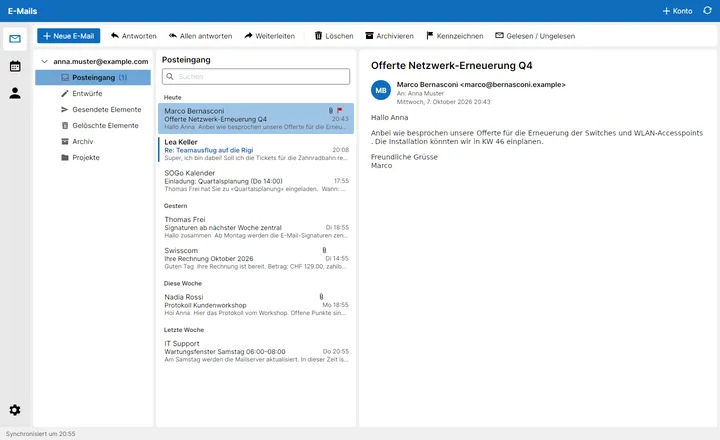
Folders on the left, list in the middle, reading pane on the right, calendar with weeks and planning – as you know it from the office. Nothing to relearn.
Why Neruna?
Neruna is young – and built for exactly that reason around what really helps you with email every day: protection from fraud, fewer clicks and a program that feels familiar from day one.
Folders on the left, list in the middle, reading pane on the right, calendar with weeks and planning – as you know it from the office. Nothing to relearn.
Mail, events and contacts stay on your server. Neruna keeps none of it – you don’t even need an account with Neruna.
Is someone pretending to be your bank, or does the address look almost like one of your contacts’? Neruna tells you in plain words, right above the email – and says why.
Click “Online meeting” in the event, and the link for Teams, Zoom or Jitsi is in the invitation. No add-in that suddenly disappears after the next update.
Stamp an invoice “Approved” without printing it. And whoever should get PDFs only with a password gets them that way – automatically.
If you always move one sender’s emails into the same folder, Neruna offers after the third time to do it for you from now on. Your own routines – stamp, file, reply – become one button.
All accounts in one program, but not everything at once: one click and you only see work – or only private. Closing time in your inbox too.
Neruna Desktop costs nothing, and anyone can look at how it’s built. New versions often come several times a week – and your feedback lands right with me.
Neruna is young – that’s true. So switching is built so that you risk nothing: