
For IT service providers Beta on request
Several clients. One login.
You look after the workstations of several SMEs? With Neruna you set up email, calendar and contacts for every client on their own mail server and manage all organisations from one portal. Neruna Desktop costs your clients nothing.
Neruna Cloud runs as a beta on request, hosted in Switzerland. Neruna Control, for running it on your own server, is also available as a beta on request.
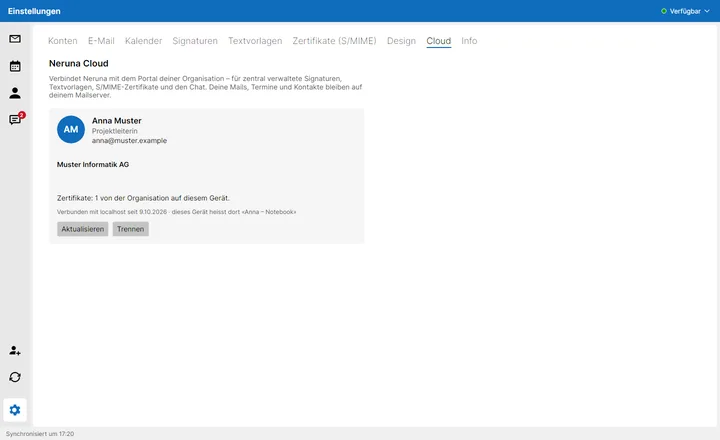
Central management for all clients
Each client is an organisation of its own in the portal – separate, with its own organisation key, people and devices. You switch between them without signing in again.
One login, several organisations
With one login you run the organisations of all your clients; your licence sets how many.
Create server profiles once
You share a server profile with IMAP, SMTP, CalDAV and CardDAV across all your organisations. If a server changes, you update the accounts of all clients at once.
Signatures, templates, certificates
Maintained centrally per client and assigned per group – there on every connected device right away.
Your own computer
You connect Neruna on your own computer to several organisations at the same time.
With the servers your clients already have
Neruna needs no mail server of its own and no mailbox move. It connects directly to whatever your clients already run.
All protocols and detailsOpen standards
IMAP/SMTP for mail, CalDAV and CardDAV for calendars and contacts – e.g. SOGo, Nextcloud, Dovecot or most hosting providers.
On-premises Exchange
Exchange 2013 or later via EWS – mail, calendar and contacts, also behind a reverse proxy with a client certificate.
Microsoft 365
Mail, calendar, contacts and tasks with the sign-in directly at Microsoft – Neruna never sees the password.
Automatic setup
Confirm your own domains by DNS: Neruna Desktop then sets up the organisation's addresses without any server details.
Install
Installer with automatic updates or ZIP without installation – for Windows, macOS and Linux from the same release.
Connect and approve
One connection code per device from the portal, the PIN separately. A device only gets accounts and certificates after you approve it.
Access to the portal
The portal itself: two-factor sign-in for all access, rights per access and an audit log of who changed what when.
Android app
Staff pair their phones themselves at the desktop (QR code and PIN, after the computer's login) – or you set them up in the portal. You set how many per person.
Switching without moving
Because the data stays on the server, you switch step by step – a few people first, the rest later.
The same mailboxes
Neruna works on the same mailboxes, calendars and address books as before. Nothing needs to be exported or copied.
Old archives
Neruna adds old Outlook archives (.pst) as an account of their own, read only.
On your own server
Neruna Control is the same software as Neruna Cloud – on your server, via Docker. Updates take one command; the licence comes signed from neruna.cloud.
Get in touchControl for one company Beta on request
One organisation on its own server: configuration and chat stay in house, chat rooms without a fixed limit.
Control as a provider Beta on request
Several tenants on your server, each with its own portal. You set limits such as chat rooms yourself, and you bill your clients yourself.
API for your systems
Manage people, groups, signatures, templates, domains, accounts, certificates and devices via REST API – e.g. from an HR system or directory. For one organisation, for all your clients or for all tenants on your server.
Beta and price on request
Control is usable but not yet proven in every environment. I set the price with you, matched to the tenants and users you expect.
Costs
The benefit calculator on neruna.cloud also works with an external service provider – hourly rate, share of the work, invoices that fall away. That way you show your clients what central management brings. A non-binding model calculation, not a guaranteed result.
Calculate the benefitNeruna Desktop
Free for your clients – private or business, with no per-seat licence.
Neruna Cloud Beta on request
IT service providers get their own prices, matched to the clients and users you expect – so that it pays off for you. Price on request.
Neruna Control Beta on request
Everything from the cloud on your own server, via Docker and with several tenants. Updates with one command. Price on request, matched to you as with the cloud.