
The email that slipped through
Shortly after 0.12 an email landed in my inbox: sender: a well-known bank, a link to a page my browser flagged as phishing at once. Neruna stayed calm. The reason: the domain was so new that it wasn’t on any public phishing list yet. Lists are good, but always one step behind.
So I looked at what else the email gives away. Quite a lot: it was sent through the hijacked mailbox of a holiday flat in Germany – with the bank’s name as the display name.
New: brand names must match the address
If a sender calls itself like a well-known bank, a postal service, a payment or parcel service – about 40 companies that are often imitated –, the address has to belong to that company. If it doesn’t, Neruna warns clearly: “Pretends to be …”. Senders from your own contacts are exempt.
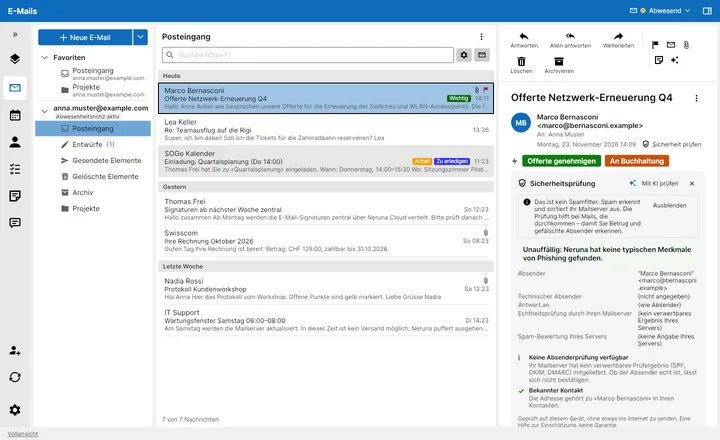
New: what your mail server thinks of the email
Many mail servers write their spam rating into the email’s headers – SpamAssassin, Rspamd, Sophos or Microsoft 365. The security check now shows it, for example “5.8 of 6 points – just below the spam threshold”. Especially when an email feels odd, that’s a useful hint. If the email is above the threshold, Neruna warns as well.
Also
- Headers in the right place: they moved from the end of the security check into the “⋮” menu next to the subject.
- A sturdier phishing list: if neruna.cloud is briefly busy, Neruna tries once more and otherwise waits patiently instead of showing an error.
The update arrives by itself as always – or on the download page. And if you come across a phishing email that Neruna doesn’t catch: feel free to send it to me at info@neruna.org. That’s exactly how the check gets better.