
Chat
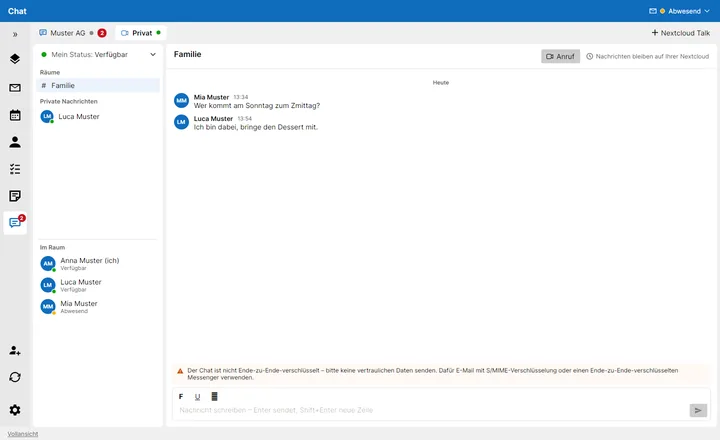
- Nextcloud Talk: when you add a Nextcloud, switch Talk on right away. Your conversations then appear as a tab of their own in the chat; calls open in the browser.
- One tab per chat: each organisation and Nextcloud Talk have their own tab, each with its own counter for what’s new.
- Status per chat: in the status menu, choose “This chat only” or “All chats”. So you can be offline at work and available in private, for example.
Writing and reading
- Links by themselves: type or paste a web address and it becomes a link automatically. Ctrl+Z turns it back into text. Paste an address onto selected text and the text becomes the link.
- “Insert link” starts with an empty field, the cursor already in it. “neruna.org” is enough – Neruna adds the https:// itself, and an email address becomes a mailto: link.
- See all of To and Cc: if an email’s recipient line is cut off, a click on it shows every address.
Also
- Calendar: moving and dragging events now snaps to 15 minutes.
- Search fields: a small × on the right clears the field with one click.
- Neruna Cloud: the organisation can now also set up Exchange, Microsoft 365, Google, Proton and Nextcloud accounts as well as calendars and contacts centrally, signatures included. Where the provider needs a sign-in, you sign in once in Neruna – everything else is already set up.
Neruna Desktop fetches the update by itself as always – or get it on the download page.